
AuroraTabs
A modern desktop workspace for survey tables, JOB workflows, results preview, and Excel exports.
AuroraTabs brings project files, syntax editing, run tracking, table previews, charts, and export control into one focused desktop environment.
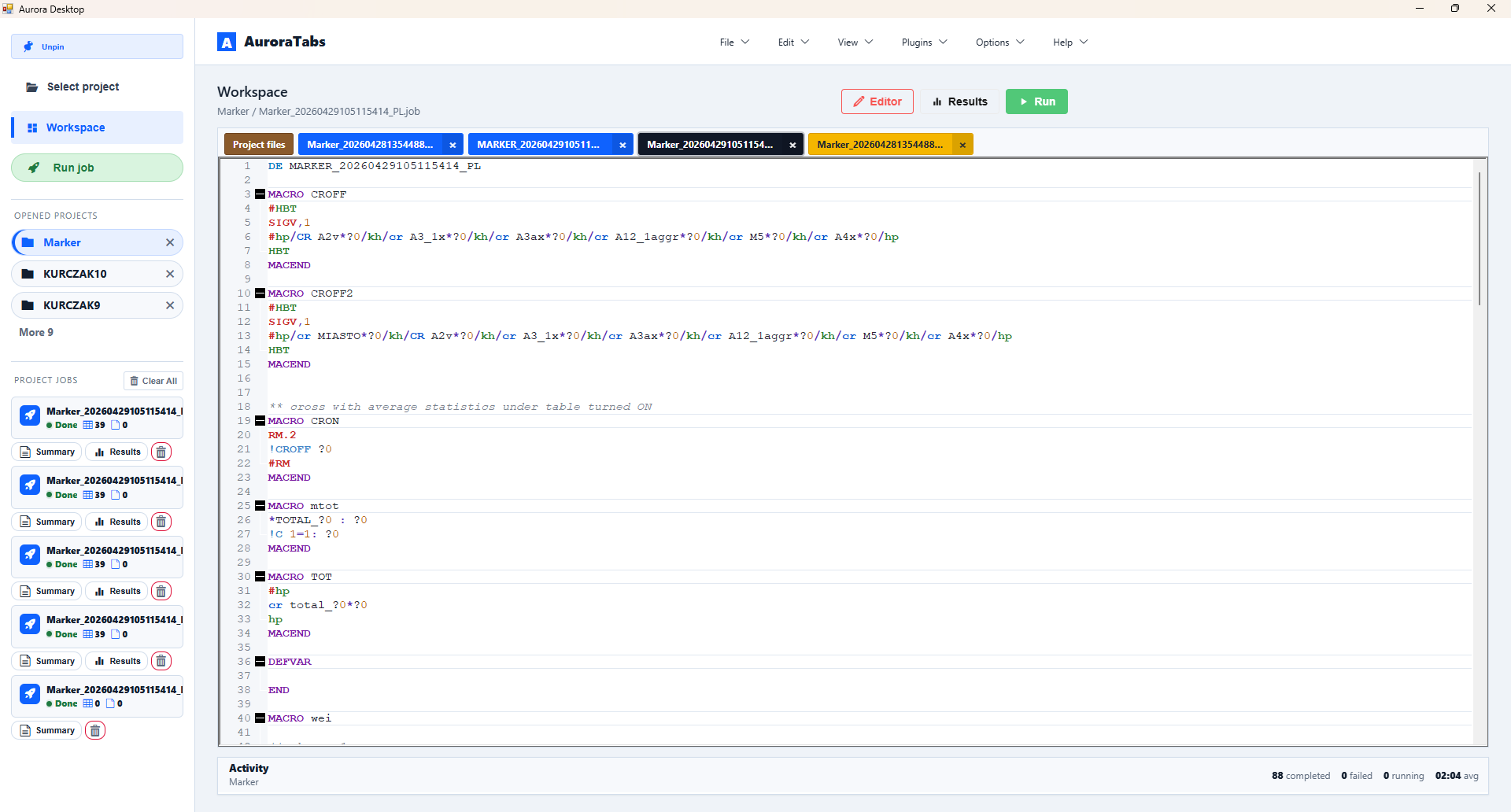
One workspace for the whole tabulation flow
AuroraTabs helps you move from project setup to final tables without jumping between disconnected tools. Open JOB and VAR files, run calculations, inspect results, filter table headers, export to Excel, and keep every run traceable.
- Project-centered workspace with opened projects, project files, and run history.
- Fast editor flow for JOB, VAR, XML, DAT, and related files.
- Live job progress, cancellation, summaries, diagnostics, and activity trace.
- Results preview with table list, charts, question filtering, and navigation.
- Excel exports through classic OLE or Modern XLSX without Excel automation.
- Skinnable WebShell UI with a cleaner, more flexible desktop experience.
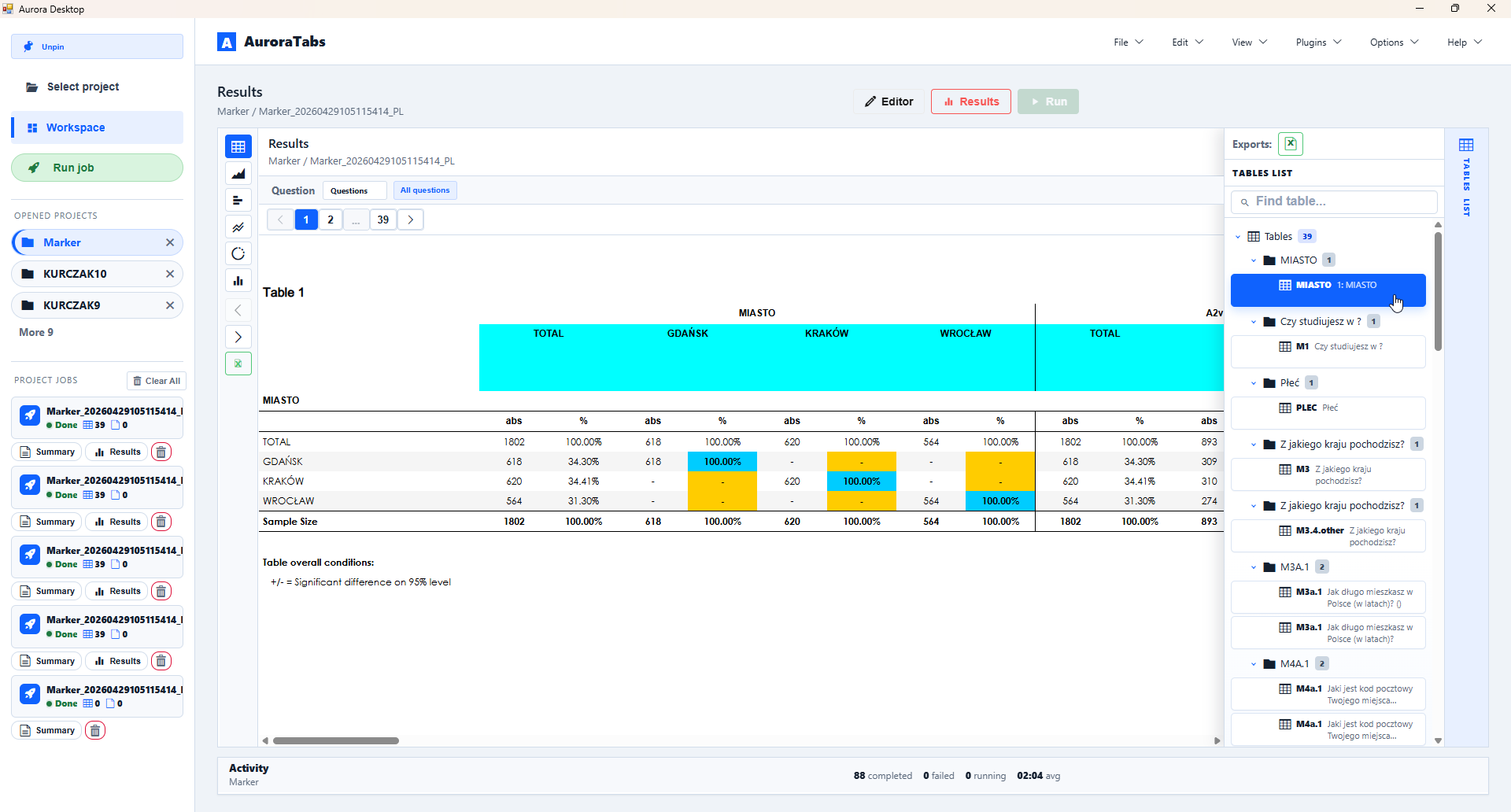
Results you can inspect before you export
Preview tables and charts directly inside AuroraTabs. Use the table list to jump between outputs, filter questions in headers, move through generated tables, and open historical runs without recalculating the job.
Inspect generated tables before delivery.
Focus headers on the variables you need.
Open previous run artifacts without recalculation.
Run complex table sets with visible progress
AuroraTabs keeps long-running tabulation jobs understandable. Run progress, current step, activity messages, diagnostics, and cancellation are visible in the workspace, so a production run never feels like a black box.
Excel export, your way
Use the compatibility-first OLE exporter when you need legacy Excel behavior, or switch to Modern XLSX for stable, parallel, Excel-free exports. Modern XLSX writes workbooks directly and supports tables, sheets, indexes, formatting, and charts.
A desktop app that feels current
AuroraTabs keeps the native editor where it belongs and moves the surrounding workflow into a WebShell interface. Project navigation, tabs, run cards, previews, menus, table lists, and activity panels become easier to skin, faster to iterate, and more pleasant to use every day.
Made for real production work
AuroraTabs is not a generic spreadsheet viewer. It is built around JOB-driven tabulation, repeatable exports, project folders, diagnostics, and analyst workflows where correctness and traceability matter.
Survey table production and repeated client reporting.
Keep syntax, variables, and project files close together.
Inspect previews, diagnostics, and exports in one place.
Turn Aurora workflows into a modern desktop experience
Run jobs, inspect results, export tables, and keep every project organized in one focused workspace.